



Education Insights · Buyer Guide
How to Choose a Drone Kit for Your STEAM Lab
About This GuideWritten for school leaders, STEAM coordinators and lab managers comparing drone kits for a classroom program. It covers the five criteria that decide whether a kit lasts, what a complete solution actually includes, and how to scope a purchase before you commit a budget.
Adrone kit for a STEAM lab is not chosen on specifications. Five things decide whether it is still flying in the second term: the age range it covers, the coding environment it teaches, whether students can build and repair it, whether it is safe indoors, and whether curriculum and teacher training come with it.
Most kits look convincing on a product page and fall short on one of those five. This guide covers each criterion, then the procurement side: what a full solution contains, what belongs in the quote, and how to test a kit in one classroom before you buy for the school.
LiteBee Editorial
September 2026
12 min read
How do I choose a drone kit for my STEAM lab?
Match the kit to five things. Four of them are not about the drone itself.
The five that matter are the age range the kit covers and whether it leads anywhere, the coding environment it teaches and whether that environment survives the move from blocks to text, whether students can open it up and repair it, whether it is genuinely safe for indoor classroom use, and whether curriculum and teacher training are part of the purchase rather than an afterthought.
A kit that fails any one of these tends to follow the same path: strong first month, stalled second term, cupboard by the end of the year. The failure is rarely dramatic. It is usually one missing piece that no one had time to replace.
01
Age Range and Progression
Does the kit fit the students in front of you, and does it lead somewhere for the students who outgrow it?
A single grade band is fine for a club. For a lab serving a whole school, the question is what comes next.
02
Coding on the Same Hardware
Block-based coding for beginners, text coding such as Python for older students — ideally on the same airframe.
Two different drones means two purchases, two onboarding sessions and two sets of spares.
03
Buildable and Repairable
Can students assemble, disassemble and modify it, or is it a sealed unit?
A modular kit turns a crash into a repair lesson. A sealed one turns it into a write-off.
04
Indoor-Safe by Design
Lightweight frames, guarded propellers and a speed ceiling suited to a classroom, not a park.
Safety is not a feature you add later. It is designed into the airframe.
05
Curriculum and Training
Sequenced lessons, teacher guides, slides, handouts and assessment — plus training for the teaching team.
Hardware alone does not create a program. It creates a cupboard.
The Five CriteriaAge Range+Coding+Buildability+Indoor Safety+Teaching Support
What Is the Best Drone for Education?
For schools and STEAM education programs, the best drone is one that turns flight into a learning experience.
A supplier demo answers fewer questions than it appears to. A drone that flies well in a controlled demonstration tells you almost nothing about how the same drone behaves in the hands of twenty students in week nine. Each of the five criteria below has a specific question attached — one whose answer is hard to dress up.
01
Age range: ask for the progression, not the range
An age range on its own is a marketing number. What matters is the step after the step you are buying. A kit aimed at ages 8 to 10 is useful only if a school can tell parents and administrators what a student does at 11. Published progressions exist, and they make better benchmarks than a vendor’s claim — the CSTA PK–12 Computer Science Standards map what students should be able to do at each grade band.
Map the answer against your own grade structure. If the progression stops at the end of primary school, a secondary lab is buying into a dead end — even if the product itself is good.
Ask: “Which platform does a student move to after this one, and what actually changes for them?”
02
Coding: check that both environments run on the same hardware
Many kits advertise block-based coding and Python. Fewer run both on the same airframe without a hardware swap. The difference matters at the end of a term, when a class needs to move from drag-and-drop to real syntax without replacing twenty drones.
Ask to see the transition itself, not two separate demos. What you want is the same drone, the same flight controller, and a documented path from visual blocks to written code.
Ask: “Show me the same drone running a block program and a Python program — and show me what is in between.”
03
Buildability: count the parts students can replace
Repairability is a number, not a feeling. Ask how many components a teacher or student can replace without sending the unit away: propellers, motors, arms, frame plates, landing gear, batteries.
Then ask what those parts cost and how quickly they ship. A kit with a long spare parts list and a slow supply chain is less repairable in practice than a simpler kit with parts in stock.
Ask: “Which parts are user-replaceable, what do they cost, and what is your typical delivery time for them?”
04
Indoor safety: get the numbers, not the reassurance
Every classroom drone is described as safe. The usable question is under what conditions. Weight, propeller guards, a configurable speed limit and an altitude ceiling are the four variables that decide whether a lesson happens in a classroom or a gymnasium. Where a program will also fly outdoors, the rules change — the FAA’s guidance for educational users sets out when a school flight falls under the recreational exception and when it requires Part 107.
If prop guards are an accessory rather than standard, that is worth knowing before you order thirty units and find out in September.
Ask: “What is the maximum speed in classroom mode, are prop guards standard, and what is the unit weight?”
05
Teaching support: ask what happens in year two
Curriculum and training are easiest to verify by asking about the future rather than the present. Year one is covered by the enthusiasm of whoever championed the purchase. Year two is where programs fail — when that teacher changes school, or a new cohort starts with a new member of staff.
Ask specifically about refresher training, how curriculum access transfers to a new teacher, and whether updates are included or billed annually.
Ask: “When the original teacher leaves, what does the next teacher receive, and what does it cost?”
What should I buy if my school needs a full drone learning solution?
Hardware is one of five parts. The other four decide whether the program still runs in year two.
A full drone learning solution has five parts: the drones, a structured curriculum, teacher training, ongoing support, and — for schools building a dedicated space — help planning the environment. Buying hardware alone leaves teachers to build their own lessons from scratch, which works for exactly as long as one enthusiastic teacher stays in post. Curriculum is also easier to defend internally when it maps to a recognized framework — the ISTE Standards are the usual reference point for technology integration across grade levels.
When these five are supplied together, the program survives staff changes, budget cycles and the ordinary wear of classroom use. When they are assembled separately, every one of them becomes a future project that nobody owns.
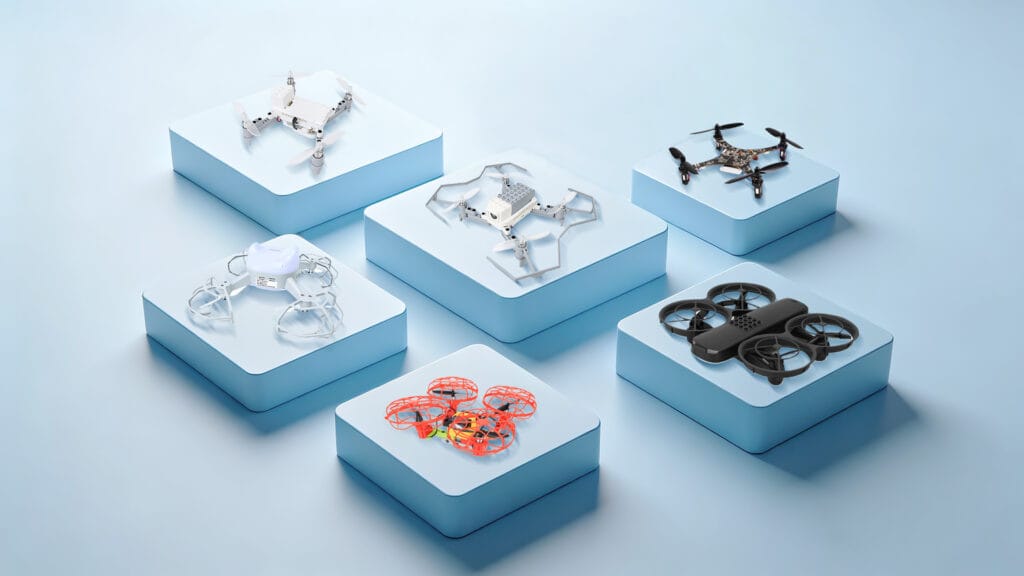
Class sets of programmable drones — one per student or per pair — plus spares: propellers, motors, batteries and frame parts.
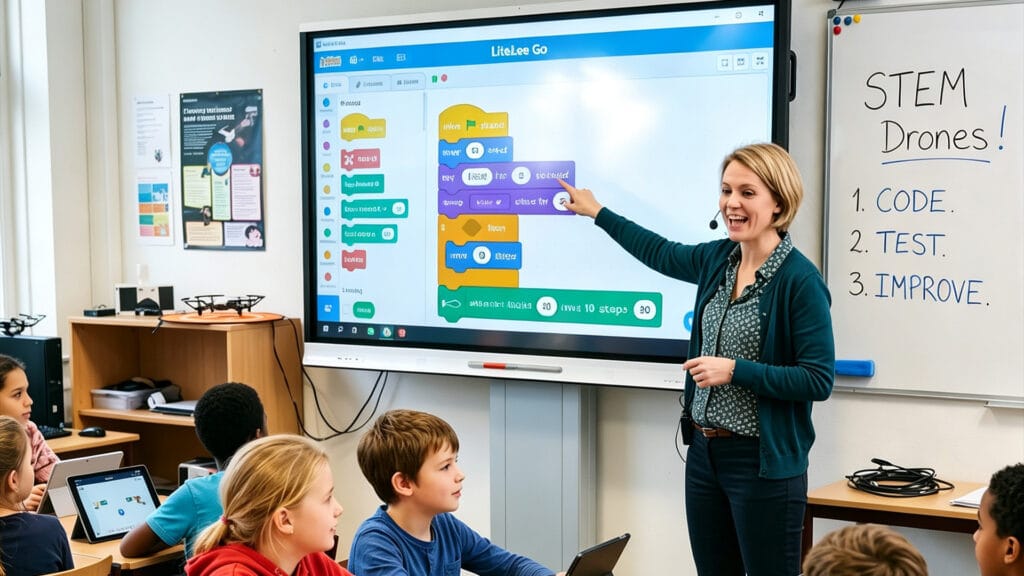
Sequenced lessons mapped to grade levels and learning outcomes, not a folder of one-off activities.

Onboarding and refresher training, with ready-to-use lesson plans, slides, handouts and assessment rubrics.
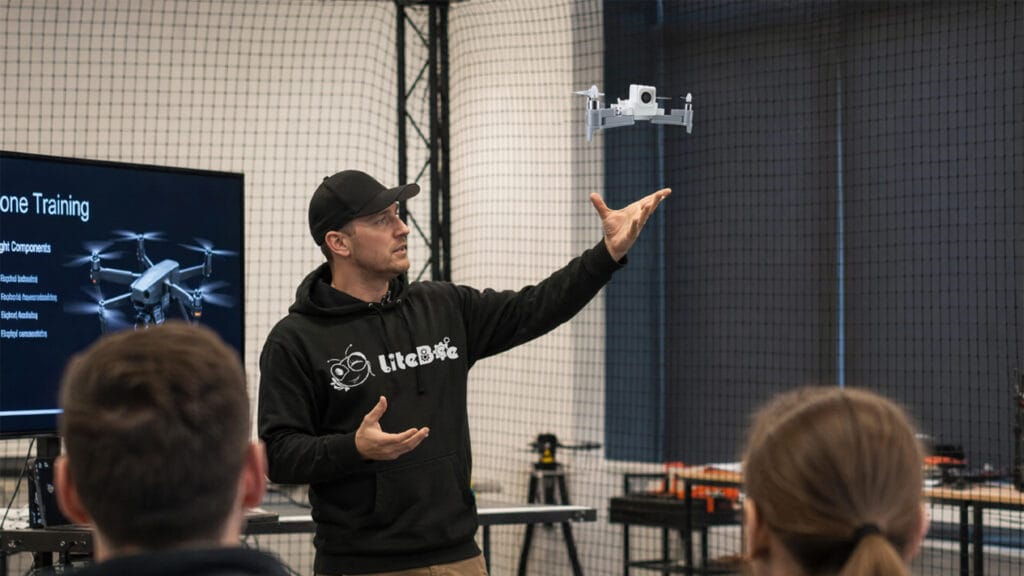
Troubleshooting and maintenance guidance, software and firmware updates, and a knowledge base for technical questions.
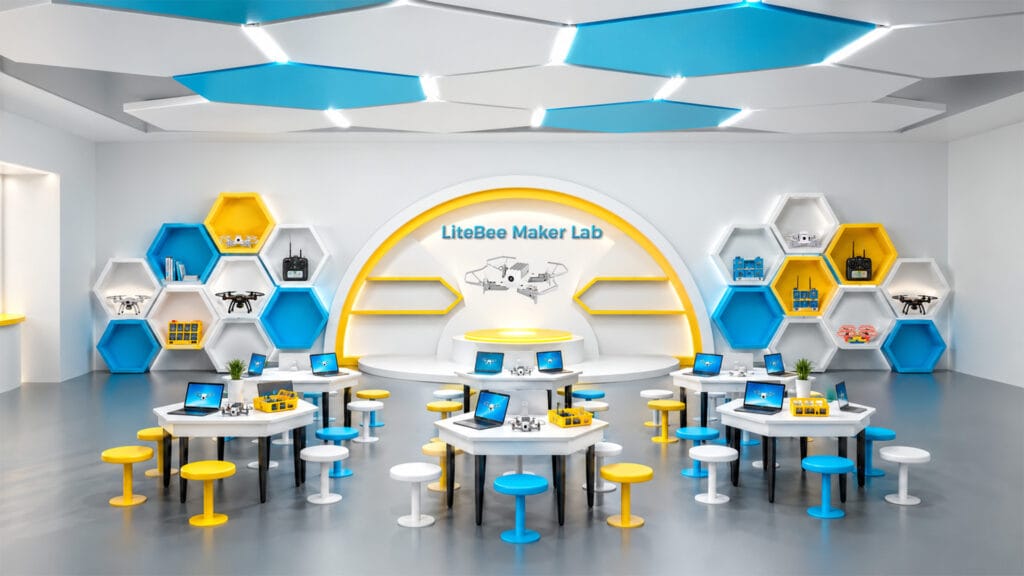
For schools building a dedicated space: lab layout, equipment planning and the zones a drone classroom needs.
In practice, this is a procurement question rather than a product question. Ask for a single quote that covers all five parts. A vendor that can only quote for hardware is selling you a drone, not a program — and the difference only becomes visible in the second year.
01
Class sets and spares
02
Curriculum access and how many teachers it covers
03
Teacher training days, on-site or online
04
Software and firmware update policy
05
Maintenance and spare-parts plan
How to run a pilot before you commit a budget
One class, one term, two teachers. It is the cheapest test you will ever run.
Most drone programs that fail were never tested at small scale. A pilot costs a fraction of a full lab rollout and answers the questions a demo cannot: whether the lessons fit an actual timetable, whether a non-specialist teacher can deliver them, and how much class time is lost to setup and charging.
Run the pilot with two teachers rather than one — a single enthusiast will make almost anything work, and that is exactly the result you cannot generalize from. Give the pilot a defined end and four things to measure.
Teacher preparation time per lesson
Student completion rate per module
Breakages and time lost to repair
Whether both teachers want to run it again
The last measure is the one that predicts the future. A kit that a second, less technical teacher is willing to teach again next term has passed the test. A kit that only works in the hands of the person who chose it has not — it has simply been tested under laboratory conditions.
If the pilot fails on one of the five criteria, that is useful information obtained for the price of a class set. If it fails on support and training, the problem is almost never the hardware, and it is usually fixable by changing supplier rather than changing product.
How LiteBee maps to the five criteria
LiteBee is an education-first platform family covering ages 6 to 18+ across seven stages.
LiteBee organizes its platforms around the same five criteria, with a progression that runs from build-and-fly hardware for the youngest students through block coding, expansion modules, formation flight, AI and open-source development. Because the stages share one platform family and one teaching model, a school can standardize across year groups instead of buying a separate solution for each one.
Age range and progression
Ages 6 to 18+ across seven stages — Explore (Brix III) → Build (Wing) → Create (Wing with Expansion Kits) → Engineer (Wing FM) → Innovate (Stars) → AI+ (Bot) → Develop (Crazepony C+). Each stage pairs a platform with a defined competency.
Coding on the same hardware
LiteBee Wing runs block-based coding first, then Python on the same airframe. In the later part of the Level-2 course, the same drone is programmed for takeoff, altitude control, waypoint missions and rescue scenarios.
Buildable and repairable
Brix III and Wing are assembled from parts, so students build, disassemble and modify them. Frame parts, propellers, motors and batteries are replaceable, which turns a crash into a repair lesson rather than a lost unit.
Indoor safety
Indoor-safe frames and lightweight construction designed for classroom use, with a programming environment that lets students test in simulation before flying the mission for real.
Curriculum and training
The STEAM DRONE I pathway delivers courses in 32- or 40-session scopes across four modules, with lesson plans, teacher guides, slides, handouts and assessment rubrics. Assessment is competition-based rather than exam-based, through the PilotX competition programs.
Environment
For schools building a dedicated space, the Maker Lab Solution covers lab layout and the five functional zones a drone classroom needs, from flight training to production and maintenance.
One platform family, seven stages
Students keep the same tools as the work deepens
EXPLORE
BUILD
CREATE
ENGINEER
INNOVATE
AI+
DEV
Age: 6 ——————————————————————————————————————————————————————————— 18+
Progression · Seven Stages
Why a pathway beats a single kit
Skills compound when the platform stays consistent. Sequencing learned in block coding becomes loops and conditions in Python; a drone repaired in year one is a drone understood in year two.
For a school, the practical benefit is procurement. One platform family means one training path, one spares list and one supplier relationship, instead of a separate purchase and a separate onboarding for every year group.
Five mistakes schools make when buying drone kits
None of these are hardware problems. All of them show up in the budget.
The same patterns appear across schools of very different sizes and budgets. They are worth reading before a purchase order rather than after.
Buying hardware first and looking for curriculum later
Comparing on price per unit
Assuming teachers will work it out
Buying for one grade instead of one pathway
No spares plan
Quick answers for schools
The four questions that come up in almost every procurement conversation.
A supplier demo answers fewer questions than it appears to. A drone that flies well in a controlled demonstration tells you almost nothing about how the same drone behaves in the hands of twenty students in week nine. Each of the five criteria below has a specific question attached — one whose answer is hard to dress up.
Plan for one drone per pair of students as a workable starting ratio, and one per student where the budget allows — pairing works well for coding because it creates a natural driver-and-reviewer split. Add a spares allowance of roughly 15 to 20 percent of the class set so that a broken unit never removes a pair from the lesson. For a class of 24, that means 12 working drones and 2 spares.
Yes, provided indoor safety is designed in rather than assumed. The relevant factors are unit weight, standard propeller guards, a configurable speed limit and an altitude ceiling. Lightweight classroom drones flown at low speed in a cleared space are well within normal classroom risk, and simulation modes let students test code before any propellers turn.
Final Thoughts
The kit that works in a STEAM lab is rarely the one with the longest specification sheet. It is the one whose curriculum a non-specialist teacher can pick up, whose parts a student can replace, and whose coding environment still runs when the class is ready to move on.
Five criteria decide that outcome: age progression, coding continuity, buildability, indoor safety, and teaching support. Four of the five are about what comes with the drone rather than what is inside it.
Buy for the second year, not the first demonstration.
Add Your Heading Text Here
Lorem ipsum dolor sit amet, consectetur adipiscing elit. Ut elit tellus, luctus nec ullamcorper mattis, pulvinar dapibus leo.