



Insights sull’istruzione · Guida per gli acquirenti
Come scegliere un kit per il drone per il vostro laboratorio STEAM
Informazioni su questo manualeScritto per dirigenti scolastici, coordinatori di STEAM e responsabili di laboratori, il documento confronta i kit per drone disponibili per un programma in aula. Copre i cinque criteri che determinano la durata del kit, cosa includa effettivamente una soluzione completa e come valutare l'acquisto prima di fissare un budget.
Il kit per un laboratorio STEAM non viene scelto in base alle specifiche. Cinque cose determinano se il robot volerà anche nel secondo semestre: l’età dei partecipanti, l’ambiente di programmazione che insegna, la possibilità per gli studenti di costruirlo e ripararlo, la sicurezza all’interno della casa e la possibilità di integrare il curriculum e la formazione per gli insegnanti.
La maggior parte dei kit sembra convincente nella pagina del prodotto, ma manca uno dei cinque criteri. Questa guida copre ciascun criterio, oltre a quello relativo all’acquisto: cosa contiene una soluzione completa, cosa deve essere incluso nella proposta di acquisto e come testare un kit in una classe prima di acquistarlo per la scuola.
Redazione LiteBee
Settembre 2026
12 minuti di lettura
Come posso scegliere un kit per il drone per il mio laboratorio STEAM?
Abbinare il kit a cinque elementi. Quattro di questi non riguardano il drone stesso.
I cinque aspetti più importanti sono la fascia d’età coperta dal kit e la sua capacità di portare a risultati concreti, l’ambiente di programmazione che insegna e la sua capacità di sopravvivere al passaggio dai blocchi alla scrittura di testi, la possibilità per gli studenti di aprirlo e di modificarlo, la sicurezza intrinseca dell’uso in classe, e la possibilità che il curriculum e la formazione del personale docente siano parte integrante dell’acquisto anziché essere un’aggiunta a posteriori.
Un kit che non soddisfa uno di questi requisiti tende a seguire lo stesso percorso: primo mese di vita del prodotto positivo, secondo semestre stagnante, fine anno con il prodotto ancora in magazzino. Il fallimento è raramente drammatico. Solitamente si tratta di un pezzo mancante che nessuno ha avuto il tempo di sostituire.
01
Intervallo di età e progressione
Il kit si adatta agli studenti davanti a voi e porta i ragazzi che ne escono fuori dai propri limiti a destinazioni più ambiziose?
Un solo livello di valutazione è sufficiente per un club. Per un laboratorio che serve tutta la scuola, la domanda è cosa succederà dopo.
02
Codifica sullo stesso hardware
Codifica basata su blocchi per i principianti, codifica di testo come Python per gli studenti più esperti – idealmente sullo stesso velivolo.
Due droni diversi significano due acquisti, due sessioni di onboarding e due set di pezzi di ricambio.
03
Facile da costruire e da riparare
Gli studenti possono montarlo, smontarlo e modificarlo, oppure è un'unità chiusa?
Un kit modulare trasforma un guasto in una lezione di riparazione; un kit sigillato lo trasforma in un’ammalcolazione.
04
Sicuro anche all'interno grazie alla progettazione
Montature leggere, eliche protette e un limite di velocità adatto a una classe scolastica, non a un parco.
La sicurezza non è una caratteristica aggiunta in seguito. È integrata nel telaio dell’aeromobile.
05
Programma e Formazione
Lezioni sequenziate, guide per gli insegnanti, presentazioni, dispense e valutazioni — oltre alla formazione per il team docente.
Il hardware da solo non crea un programma. Crea un armadio.
Le cinque condizioniIntervallo di età+Programmazione+Facilità di costruzione+Sicurezza interna+Supporto didattico
Qual è il miglior drone per l'istruzione?
Per le scuole e i programmi di educazione STEAM, il drone migliore è quello che trasforma il volo in un'esperienza di apprendimento.
Una demo di un fornitore fornisce meno informazioni di quanto possa sembrare. Un drone che vola bene durante una dimostrazione controllata non rivela quasi nulla riguardo al comportamento dello stesso drone nelle mani di venti studenti alla fine del corso. Ogni uno dei cinque criteri qui sotto è accompagnato da una domanda specifica, la cui risposta è difficile da spiegare.
01
Intervallo di età: chiedere la progressione, non l’intervallo
Un range di età per sé è un dato di marketing. Ciò che conta è il passaggio da un livello all’altro che si sta acquistando. Un kit pensato per gli studenti di età compresa tra gli 8 e i 10 anni è utile solo se una scuola può comunicare ai genitori e agli amministratori cosa fa uno studente a 11 anni. Esistono progressi pubblicati che rappresentano dei benchmark migliori rispetto alle dichiarazioni del venditore — Standardi di informatica per le scuole CSTA PK–12 stabilire cosa gli studenti dovrebbero essere in grado di fare ad ogni livello di apprendimento.
Mappează la risposta confrontandola con la tua struttura di valutazione personale. Se la progressione si interrompe alla fine della scuola primaria, un laboratorio di secondo livello sta imboccando una strada senza uscita — anche se il prodotto stesso è buono.
Domanda: “A quale piattaforma si trasferisce uno studente dopo questa, e cosa cambia realmente per lui?”
02
Codifica: verificare che entrambi gli ambienti vengano eseguiti sullo stesso hardware
Molti kit pubblicizzano la codifica basata su blocchi e Python. Molti meno prevedono l’utilizzo di entrambi sullo stesso telaio senza uno scambio di hardware. La differenza è importante alla fine del corso, quando una classe deve passare da un approccio drag-and-drop a una sintassi vera e propria senza dover sostituire venti drone.
Richiedete di vedere la transizione stessa, non due demo separate. Ciò che volete è lo stesso drone, lo stesso controllore di volo e un percorso documentato che va dai blocchi visivi al codice scritto.
Domanda: “Mostrami lo stesso drone che esegue un programma in Block e un programma in Python — e mostrami cosa c’è tra i due.”
03
Facilità di costruzione: contare le parti che gli studenti possono sostituire
La riparabilità è un dato numerico, non un concetto. Chiedete quanti componenti un insegnante o uno studente possono sostituire senza dover smontare l’unità: eliche, motori, bracci, piastre del telaio, attrezzi di atterraggio, batterie.
Then ask what those parts cost and how quickly they ship. A kit with a long spare parts list and a slow supply chain is less repairable in practice than a simpler kit with parts in stock.
Ask: “Which parts are user-replaceable, what do they cost, and what is your typical delivery time for them?”
04
Indoor safety: get the numbers, not the reassurance
Every classroom drone is described as safe. The usable question is under what conditions. Weight, propeller guards, a configurable speed limit and an altitude ceiling are the four variables that decide whether a lesson happens in a classroom or a gymnasium. Where a program will also fly outdoors, the rules change — the FAA’s guidance for educational users sets out when a school flight falls under the recreational exception and when it requires Part 107.
If prop guards are an accessory rather than standard, that is worth knowing before you order thirty units and find out in September.
Ask: “What is the maximum speed in classroom mode, are prop guards standard, and what is the unit weight?”
05
Teaching support: ask what happens in year two
Curriculum and training are easiest to verify by asking about the future rather than the present. Year one is covered by the enthusiasm of whoever championed the purchase. Year two is where programs fail — when that teacher changes school, or a new cohort starts with a new member of staff.
Ask specifically about refresher training, how curriculum access transfers to a new teacher, and whether updates are included or billed annually.
Ask: “When the original teacher leaves, what does the next teacher receive, and what does it cost?”
What should I buy if my school needs a full drone learning solution?
Hardware is one of five parts. The other four decide whether the program still runs in year two.
A full drone learning solution has five parts: the drones, a structured curriculum, teacher training, ongoing support, and — for schools building a dedicated space — help planning the environment. Buying hardware alone leaves teachers to build their own lessons from scratch, which works for exactly as long as one enthusiastic teacher stays in post. Curriculum is also easier to defend internally when it maps to a recognized framework — the ISTE Standards are the usual reference point for technology integration across grade levels.
When these five are supplied together, the program survives staff changes, budget cycles and the ordinary wear of classroom use. When they are assembled separately, every one of them becomes a future project that nobody owns.
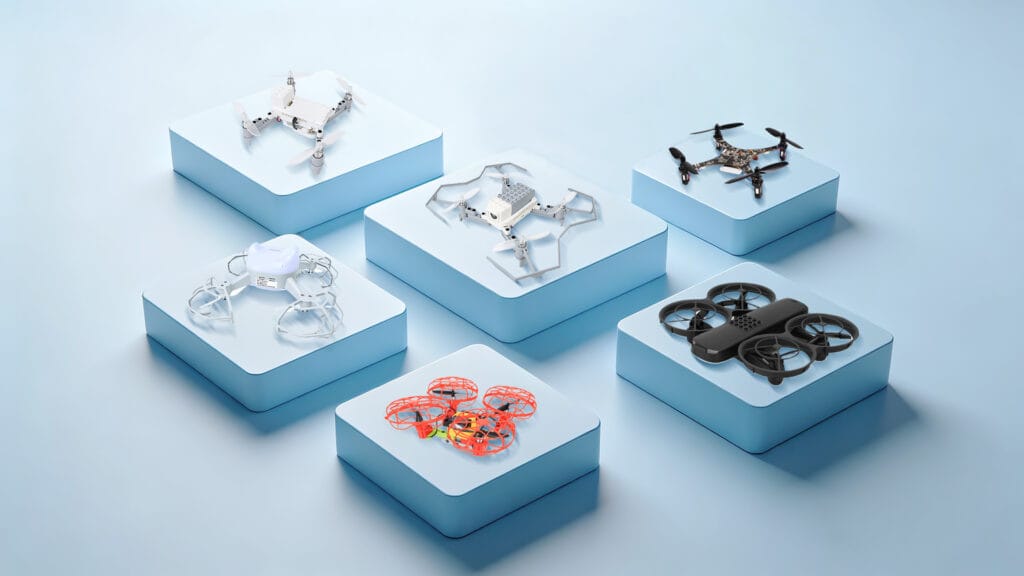
Class sets of programmable drones — one per student or per pair — plus spares: propellers, motors, batteries and frame parts.
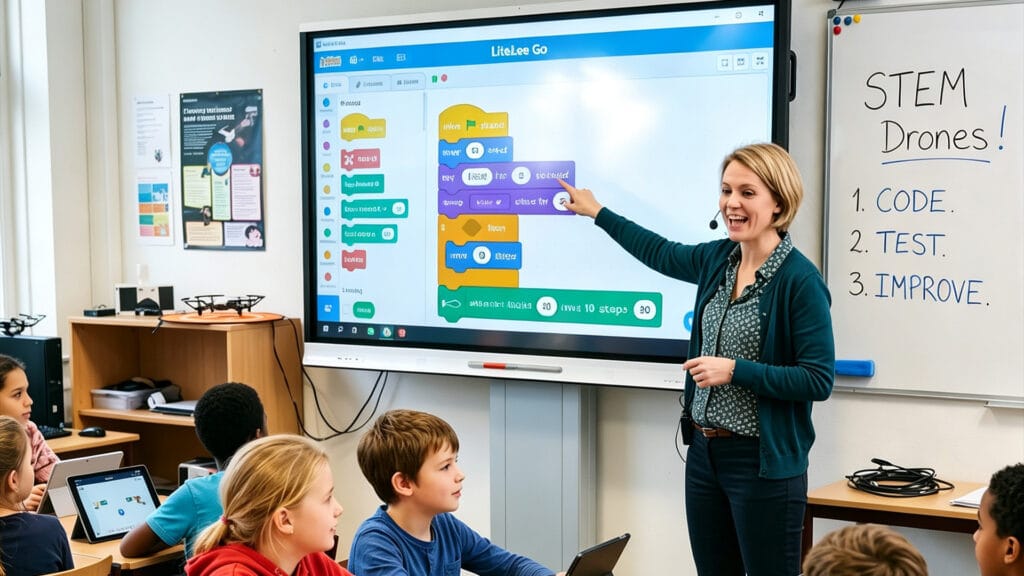
Sequenced lessons mapped to grade levels and learning outcomes, not a folder of one-off activities.

Onboarding and refresher training, with ready-to-use lesson plans, slides, handouts and assessment rubrics.
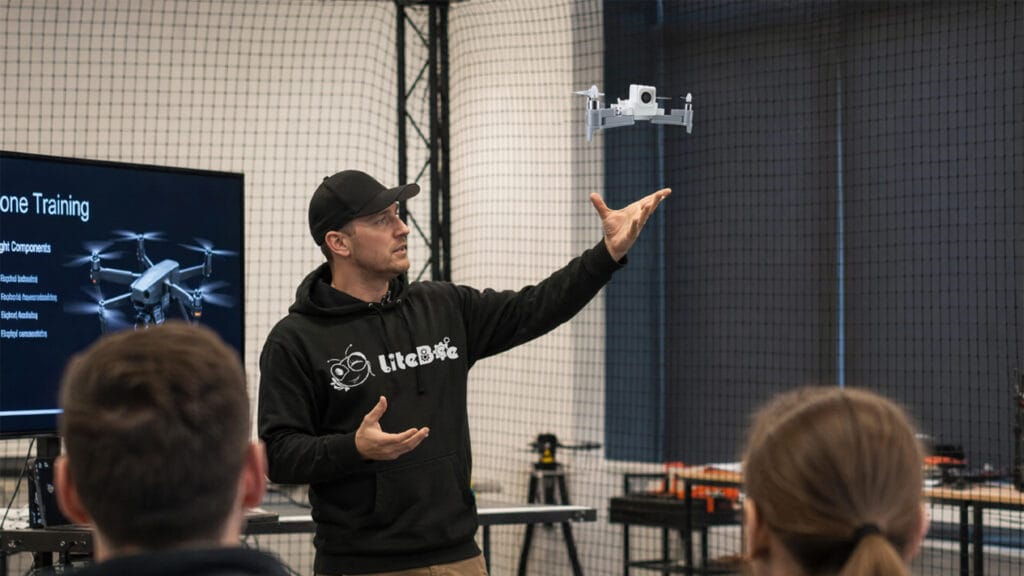
Troubleshooting and maintenance guidance, software and firmware updates, and a knowledge base for technical questions.
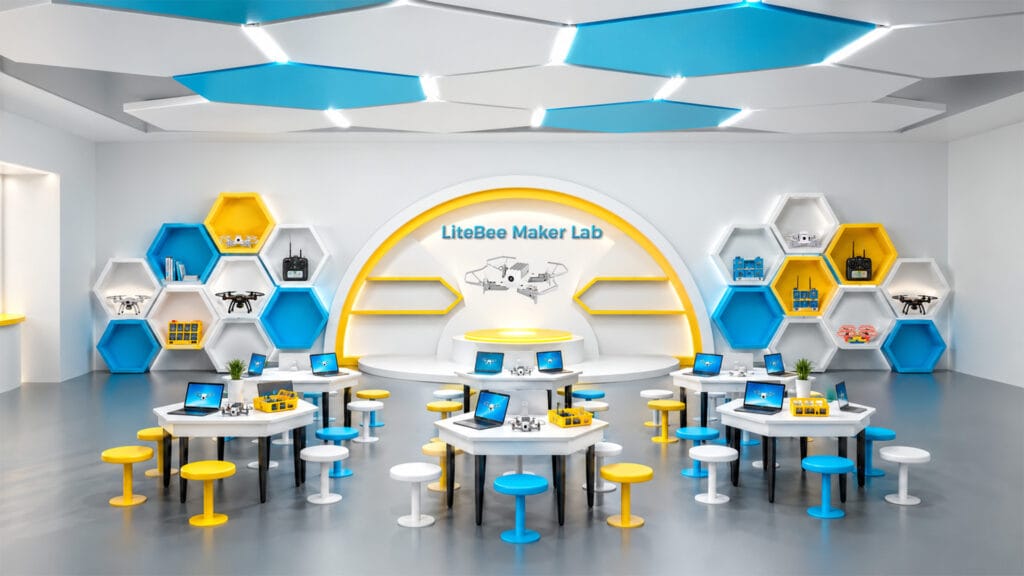
For schools building a dedicated space: lab layout, equipment planning and the zones a drone classroom needs.
In practice, this is a procurement question rather than a product question. Ask for a single quote that covers all five parts. A vendor that can only quote for hardware is selling you a drone, not a program — and the difference only becomes visible in the second year.
01
Class sets and spares
02
Curriculum access and how many teachers it covers
03
Teacher training days, on-site or online
04
Software and firmware update policy
05
Maintenance and spare-parts plan
How to run a pilot before you commit a budget
One class, one term, two teachers. It is the cheapest test you will ever run.
Most drone programs that fail were never tested at small scale. A pilot costs a fraction of a full lab rollout and answers the questions a demo cannot: whether the lessons fit an actual timetable, whether a non-specialist teacher can deliver them, and how much class time is lost to setup and charging.
Run the pilot with two teachers rather than one — a single enthusiast will make almost anything work, and that is exactly the result you cannot generalize from. Give the pilot a defined end and four things to measure.
Teacher preparation time per lesson
Student completion rate per module
Breakages and time lost to repair
Whether both teachers want to run it again
The last measure is the one that predicts the future. A kit that a second, less technical teacher is willing to teach again next term has passed the test. A kit that only works in the hands of the person who chose it has not — it has simply been tested under laboratory conditions.
If the pilot fails on one of the five criteria, that is useful information obtained for the price of a class set. If it fails on support and training, the problem is almost never the hardware, and it is usually fixable by changing supplier rather than changing product.
How LiteBee maps to the five criteria
LiteBee is an education-first platform family covering ages 6 to 18+ across seven stages.
LiteBee organizes its platforms around the same five criteria, with a progression that runs from build-and-fly hardware for the youngest students through block coding, expansion modules, formation flight, AI and open-source development. Because the stages share one platform family and one teaching model, a school can standardize across year groups instead of buying a separate solution for each one.
Age range and progression
Ages 6 to 18+ across seven stages — Explore (Brix III) → Build (Wing) → Create (Wing with Expansion Kits) → Engineer (Wing FM) → Innovate (Stars) → AI+ (Bot) → Develop (Crazepony C+). Each stage pairs a platform with a defined competency.
Coding on the same hardware
LiteBee Wing runs block-based coding first, then Python on the same airframe. In the later part of the Level-2 course, the same drone is programmed for takeoff, altitude control, waypoint missions and rescue scenarios.
Buildable and repairable
Brix III and Wing are assembled from parts, so students build, disassemble and modify them. Frame parts, propellers, motors and batteries are replaceable, which turns a crash into a repair lesson rather than a lost unit.
Indoor safety
Indoor-safe frames and lightweight construction designed for classroom use, with a programming environment that lets students test in simulation before flying the mission for real.
Curriculum and training
The STEAM DRONE I pathway delivers courses in 32- or 40-session scopes across four modules, with lesson plans, teacher guides, slides, handouts and assessment rubrics. Assessment is competition-based rather than exam-based, through the PilotX competition programs.
Ambiente
For schools building a dedicated space, the Maker Lab Solution covers lab layout and the five functional zones a drone classroom needs, from flight training to production and maintenance.
One platform family, seven stages
Students keep the same tools as the work deepens
EXPLORE
BUILD
CREATE
ENGINEER
INNOVATE
AI+
DEV
Age: 6 ——————————————————————————————————————————————————————————— 18+
Progression · Seven Stages
Why a pathway beats a single kit
Skills compound when the platform stays consistent. Sequencing learned in block coding becomes loops and conditions in Python; a drone repaired in year one is a drone understood in year two.
For a school, the practical benefit is procurement. One platform family means one training path, one spares list and one supplier relationship, instead of a separate purchase and a separate onboarding for every year group.
Five mistakes schools make when buying drone kits
None of these are hardware problems. All of them show up in the budget.
The same patterns appear across schools of very different sizes and budgets. They are worth reading before a purchase order rather than after.
Buying hardware first and looking for curriculum later
Comparing on price per unit
Assuming teachers will work it out
Buying for one grade instead of one pathway
No spares plan
Quick answers for schools
The four questions that come up in almost every procurement conversation.
Una demo di un fornitore fornisce meno informazioni di quanto possa sembrare. Un drone che vola bene durante una dimostrazione controllata non rivela quasi nulla riguardo al comportamento dello stesso drone nelle mani di venti studenti alla fine del corso. Ogni uno dei cinque criteri qui sotto è accompagnato da una domanda specifica, la cui risposta è difficile da spiegare.
Plan for one drone per pair of students as a workable starting ratio, and one per student where the budget allows — pairing works well for coding because it creates a natural driver-and-reviewer split. Add a spares allowance of roughly 15 to 20 percent of the class set so that a broken unit never removes a pair from the lesson. For a class of 24, that means 12 working drones and 2 spares.
Yes, provided indoor safety is designed in rather than assumed. The relevant factors are unit weight, standard propeller guards, a configurable speed limit and an altitude ceiling. Lightweight classroom drones flown at low speed in a cleared space are well within normal classroom risk, and simulation modes let students test code before any propellers turn.
Considerazioni finali
The kit that works in a STEAM lab is rarely the one with the longest specification sheet. It is the one whose curriculum a non-specialist teacher can pick up, whose parts a student can replace, and whose coding environment still runs when the class is ready to move on.
Five criteria decide that outcome: age progression, coding continuity, buildability, indoor safety, and teaching support. Four of the five are about what comes with the drone rather than what is inside it.
Buy for the second year, not the first demonstration.
Inserisci qui il testo della tua intestazione
Lorem ipsum dolor sit amet, consectetur adipiscing elit. Ut elit tellus, luctus nec ullamcorper mattis, pulvinar dapibus leo.