




Education Insights · Käuferhandbuch
Wie Sie ein Drohnen-Kit für Ihr STEAM-Labor auswählen
Über diese AnleitungFür Schulleiter, STEAM-Koordinatoren und Laborleiter geschrieben, in dem die verschiedenen Drohnenkits für ein Klassenzimmerprogramm verglichen werden. Es behandelt die fünf Kriterien, die darüber entscheiden, ob ein Kit langlebig ist, was eine vollständige Lösung eigentlich umfasst und wie Sie den Kauf planen können, bevor Sie ein Budget festlegen.
Das Adrone-Kit für ein STEAM-Labor wird nicht nach Spezifikationen ausgewählt. Fünf Dinge entscheiden darüber, ob es im zweiten Semester noch fliegen darf: das Altersspektrum, das es abdeckt, die Programmierumgebung, ob die Schüler es bauen und reparieren können, ob es im Innenbereich sicher ist und ob das Lehrplan und die Lehrerfortbildung im Lieferumfang enthalten sind.
Die meisten Kits sehen auf einer Produktseite überzeugend aus, aber bei einem der fünf Kriterien fallen sie unterdurchschnittlich aus. In diesem Leitfaden werden alle Kriterien behandelt, sowie die Beschaffung: Was eine vollständige Lösung enthält, was in dem Angebot enthalten sein sollte und wie Sie ein Kit in einer Klasse testen können, bevor Sie es für die Schule kaufen.
Redaktion von LiteBee
September 2026
12 Minuten Lesestunden
Wie wähle ich ein Drohnen-Set für mein STEAM-Labor aus?
Passt das Zubehör an fünf Dinge an. Vier davon haben nichts mit dem Drohnenmodell selbst zu tun.
Die fünf wichtigsten Faktoren sind die Altersgruppe, die das Kit abdeckt, ob es zu einem bestimmten Ziel führt, die Programmiersprache, die es vermittelt, und ob diese Umgebung den Übergang von Programmiersprachen zu Texten bewältigt, ob die Schüler es öffnen und reparieren können, ob es wirklich sicher für den Einsatz in Klassenzimmern ist und ob Lehrplan und Lehrerfortbildung integraler Bestandteil des Kaufes sind und nicht nur eine Nebensache sind.
Ein Kit, das eine dieser Kriterien nicht erfüllt, folgt in der Regel dem gleichen Weg: ein starkes erstes Halbjahr, ein stagnierendes zweites Halbjahr, ein Chaos am Jahresende. Das Scheitern ist selten dramatisch. Es ist meist ein fehlendes Element, das niemand Zeit hatte zu ersetzen.
01
Altersspektrum und Fortschritt
Passen die Materialien für die Schüler vor Ihnen, und führt sie die Schüler, die sie nicht mehr benötigen, an einen anderen Ort?
Eine einzige Note reicht für einen Verein. Für ein Labor, das eine ganze Schule betreut, ist die Frage, was als nächstes kommt.
02
Coding auf derselben Hardware
Blockbasierte Programmiersprache für Anfänger, Textprogrammierung wie Python für ältere Schüler – idealerweise auf demselben Flugkörper.
Zwei verschiedene Drohnen bedeuten zwei Einkäufe, zwei Einführungssitzungen und zwei Ersatzteile.
03
Bebaubar und reparierbar
Können die Schüler es zusammenbauen, zerlegen und modifizieren, oder handelt es sich um eine versiegelte Einheit?
Ein modulartiges Set verwandelt einen Unfall in eine Reparaturanleitung. Ein versiegeltes Set verwandelt ihn in einen Rückruf.
04
Indoor-Safe by Design
Leichte Rahmen, geschützte Propeller und ein Geschwindigkeitsgrenzwert, der für einen Klassenzimmerbereich geeignet ist, nicht für einen Parkbereich.
Sicherheit ist keine Funktion, die man später hinzufügt. Sie ist bereits im Flugzeugrahmen integriert.
05
Lehrplan und Ausbildung
Sequenziierte Lektionen, Lehrbegleiter, Folien, Handouts und Prüfungen – sowie Schulung für das Lehrteam.
Hardware allein schafft kein Programm. Es schafft einen Schrank.
Die fünf KriterienAltersspektrum+Coding+Bebaubarkeit+Indoor Sicherheit+Unterstützung bei der Lehre
Was ist das beste Drohne für die Ausbildung?
Für Schulen und STEAM-Ausbildungsprogramme ist das beste Drohne ein Modell, das den Flug zu einer Lernerfahrung macht.
Eine Lieferantenpräsentation beantwortet weniger Fragen, als sie scheinen. Ein Drohnensystem, das bei einer kontrollierten Demonstration gut fliegt, gibt Ihnen fast nichts darüber preis, wie sich das gleiche System in den Händen von zwanzig Studenten in der neunten Woche verhält. Jedes der fünf unten genannten Kriterien hat eine spezifische Frage, deren Antwort schwer zu übertreiben ist.
01
Altersspektrum: Bitte um die Progression, nicht das Spektrum
Ein Altersbereich allein ist eine Marketingnummer. Was zählt, ist der Schritt nach dem Schritt, den man kaufen möchte. Ein Set, das für Kinder im Alter von 8 bis 10 Jahren gedacht ist, ist nur dann nützlich, wenn eine Schule Eltern und Lehrern mitteilen kann, was ein Schüler um 11 Uhr tut. Es gibt veröffentlichte Fortschritte, die bessere Referenzpunkte darstellen als die Behauptung eines Herstellers – CSTA PK–12 Computer Science Standards Erklären, was die Schüler in jeder Stufe erreichen sollten.
Verknüpfen Sie die Antwort mit Ihrer eigenen Notenstruktur. Wenn der Lernfortschritt am Ende der Grundschule endet, führt ein zweites Lab an einem Sackgasse vorbei – selbst wenn das Produkt selbst gut ist.
Fragen Sie: “Auf welche Plattform wechselt ein Student nach dieser Plattform und was ändert sich tatsächlich für ihn?”
02
Coding: Vergewissern Sie sich, dass beide Umgebungen auf derselben Hardware ausgeführt werden.
Viele Kits bieten Block-basierten Codewriting und Python an. Weniger davon laufen beide auf demselben Flugkörper ohne Hardware-Austausch. Der Unterschied zählt am Ende eines Semesters, wenn eine Klasse von Drag-and-Drop auf echte Syntax wechseln muss, ohne zwanzig Drohnen auszutauschen.
Bitten Sie darum, die Übergangssequenz selbst zu sehen, nicht zwei separate Demonstrationen. Was Sie brauchen, ist dieselbe Drohne, der gleiche Flugsteuerungssystem und ein dokumentiertes Vorgehen von visuellen Blockdiagrammen zu geschriebenem Code.
Fragen Sie: “Zeig mir den gleichen Drohnenflug mit einem Blockprogramm und einem Python-Programm – und zeig mir, was dazwischen ist.”
03
Bedarf an Fertigungskomponenten: Zählen Sie die Teile, die die Schüler ersetzen können
Die Reparierbarkeit ist eine Zahl, keine Empfindung. Fragen Sie nach der Anzahl der Bauteile, die ein Lehrer oder ein Schüler ersetzen kann, ohne die Einheit zu demontieren: Propeller, Motoren, Arme, Rahmenplatten, Landungsgitter, Batterien.
Fragen Sie dann, wie viel diese Teile kosten und wie schnell sie geliefert werden. Ein Kit mit einer langen Liste an Ersatzteilen und einer langsamen Lieferkette ist in der Praxis weniger reparabel als ein einfacherer Kit mit bestellten Teilen.
Ask: “Which parts are user-replaceable, what do they cost, and what is your typical delivery time for them?”
04
Indoor safety: get the numbers, not the reassurance
Every classroom drone is described as safe. The usable question is under what conditions. Weight, propeller guards, a configurable speed limit and an altitude ceiling are the four variables that decide whether a lesson happens in a classroom or a gymnasium. Where a program will also fly outdoors, the rules change — the FAA’s guidance for educational users sets out when a school flight falls under the recreational exception and when it requires Part 107.
If prop guards are an accessory rather than standard, that is worth knowing before you order thirty units and find out in September.
Ask: “What is the maximum speed in classroom mode, are prop guards standard, and what is the unit weight?”
05
Teaching support: ask what happens in year two
Curriculum and training are easiest to verify by asking about the future rather than the present. Year one is covered by the enthusiasm of whoever championed the purchase. Year two is where programs fail — when that teacher changes school, or a new cohort starts with a new member of staff.
Ask specifically about refresher training, how curriculum access transfers to a new teacher, and whether updates are included or billed annually.
Ask: “When the original teacher leaves, what does the next teacher receive, and what does it cost?”
What should I buy if my school needs a full drone learning solution?
Hardware is one of five parts. The other four decide whether the program still runs in year two.
A full drone learning solution has five parts: the drones, a structured curriculum, teacher training, ongoing support, and — for schools building a dedicated space — help planning the environment. Buying hardware alone leaves teachers to build their own lessons from scratch, which works for exactly as long as one enthusiastic teacher stays in post. Curriculum is also easier to defend internally when it maps to a recognized framework — the ISTE Standards are the usual reference point for technology integration across grade levels.
When these five are supplied together, the program survives staff changes, budget cycles and the ordinary wear of classroom use. When they are assembled separately, every one of them becomes a future project that nobody owns.
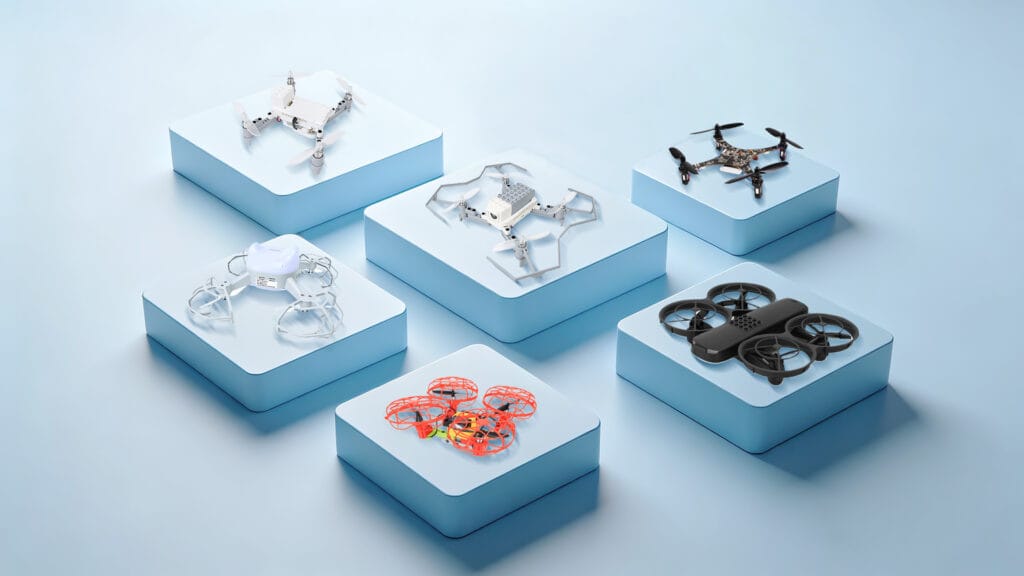
Class sets of programmable drones — one per student or per pair — plus spares: propellers, motors, batteries and frame parts.
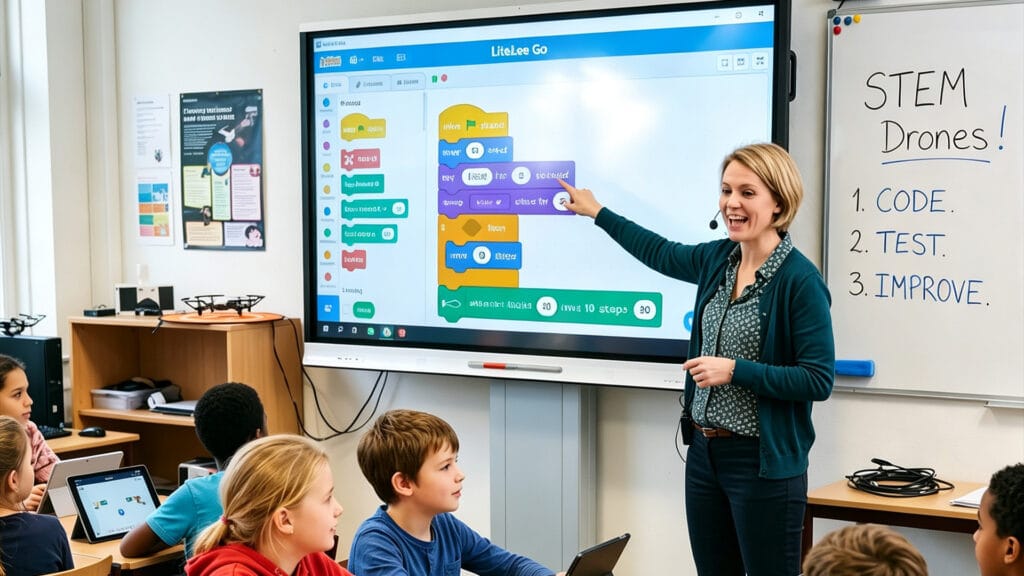
Sequenced lessons mapped to grade levels and learning outcomes, not a folder of one-off activities.

Onboarding and refresher training, with ready-to-use lesson plans, slides, handouts and assessment rubrics.
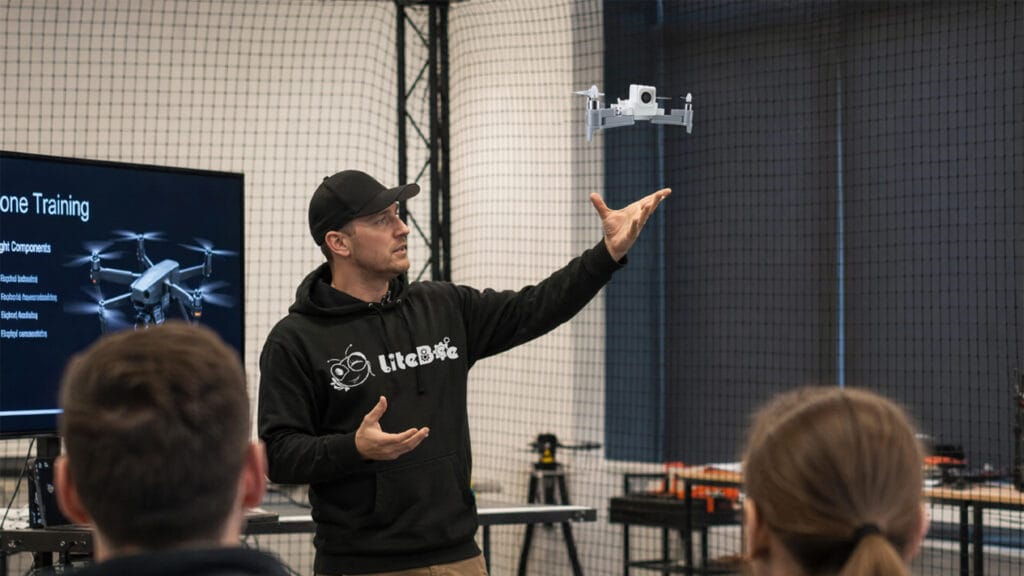
Troubleshooting and maintenance guidance, software and firmware updates, and a knowledge base for technical questions.
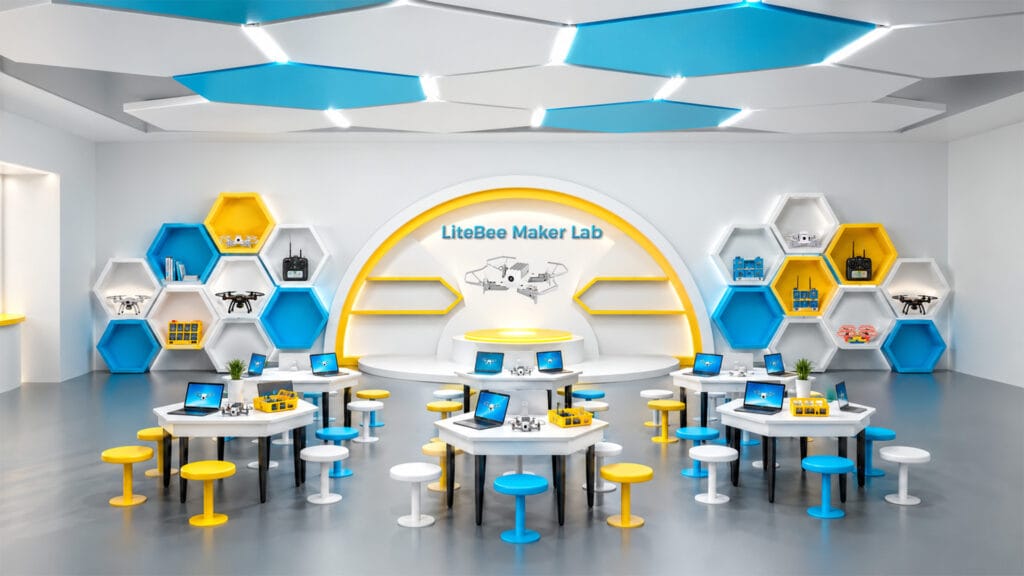
For schools building a dedicated space: lab layout, equipment planning and the zones a drone classroom needs.
In practice, this is a procurement question rather than a product question. Ask for a single quote that covers all five parts. A vendor that can only quote for hardware is selling you a drone, not a program — and the difference only becomes visible in the second year.
01
Class sets and spares
02
Curriculum access and how many teachers it covers
03
Teacher training days, on-site or online
04
Software and firmware update policy
05
Maintenance and spare-parts plan
How to run a pilot before you commit a budget
One class, one term, two teachers. It is the cheapest test you will ever run.
Most drone programs that fail were never tested at small scale. A pilot costs a fraction of a full lab rollout and answers the questions a demo cannot: whether the lessons fit an actual timetable, whether a non-specialist teacher can deliver them, and how much class time is lost to setup and charging.
Run the pilot with two teachers rather than one — a single enthusiast will make almost anything work, and that is exactly the result you cannot generalize from. Give the pilot a defined end and four things to measure.
Teacher preparation time per lesson
Student completion rate per module
Breakages and time lost to repair
Whether both teachers want to run it again
The last measure is the one that predicts the future. A kit that a second, less technical teacher is willing to teach again next term has passed the test. A kit that only works in the hands of the person who chose it has not — it has simply been tested under laboratory conditions.
If the pilot fails on one of the five criteria, that is useful information obtained for the price of a class set. If it fails on support and training, the problem is almost never the hardware, and it is usually fixable by changing supplier rather than changing product.
How LiteBee maps to the five criteria
LiteBee is an education-first platform family covering ages 6 to 18+ across seven stages.
LiteBee organizes its platforms around the same five criteria, with a progression that runs from build-and-fly hardware for the youngest students through block coding, expansion modules, formation flight, AI and open-source development. Because the stages share one platform family and one teaching model, a school can standardize across year groups instead of buying a separate solution for each one.
Age range and progression
Ages 6 to 18+ across seven stages — Explore (Brix III) → Build (Wing) → Create (Wing with Expansion Kits) → Engineer (Wing FM) → Innovate (Stars) → AI+ (Bot) → Develop (Crazepony C+). Each stage pairs a platform with a defined competency.
Coding on the same hardware
LiteBee Wing runs block-based coding first, then Python on the same airframe. In the later part of the Level-2 course, the same drone is programmed for takeoff, altitude control, waypoint missions and rescue scenarios.
Buildable and repairable
Brix III and Wing are assembled from parts, so students build, disassemble and modify them. Frame parts, propellers, motors and batteries are replaceable, which turns a crash into a repair lesson rather than a lost unit.
Indoor safety
Indoor-safe frames and lightweight construction designed for classroom use, with a programming environment that lets students test in simulation before flying the mission for real.
Curriculum and training
The STEAM DRONE I pathway delivers courses in 32- or 40-session scopes across four modules, with lesson plans, teacher guides, slides, handouts and assessment rubrics. Assessment is competition-based rather than exam-based, through the PilotX competition programs.
Umwelt
For schools building a dedicated space, the Maker Lab Solution covers lab layout and the five functional zones a drone classroom needs, from flight training to production and maintenance.
One platform family, seven stages
Students keep the same tools as the work deepens
EXPLORE
BUILD
CREATE
ENGINEER
INNOVATE
AI+
DEV
Age: 6 ——————————————————————————————————————————————————————————— 18+
Progression · Seven Stages
Why a pathway beats a single kit
Skills compound when the platform stays consistent. Sequencing learned in block coding becomes loops and conditions in Python; a drone repaired in year one is a drone understood in year two.
For a school, the practical benefit is procurement. One platform family means one training path, one spares list and one supplier relationship, instead of a separate purchase and a separate onboarding for every year group.
Five mistakes schools make when buying drone kits
None of these are hardware problems. All of them show up in the budget.
The same patterns appear across schools of very different sizes and budgets. They are worth reading before a purchase order rather than after.
Buying hardware first and looking for curriculum later
Comparing on price per unit
Assuming teachers will work it out
Buying for one grade instead of one pathway
No spares plan
Quick answers for schools
The four questions that come up in almost every procurement conversation.
Eine Lieferantenpräsentation beantwortet weniger Fragen, als sie scheinen. Ein Drohnensystem, das bei einer kontrollierten Demonstration gut fliegt, gibt Ihnen fast nichts darüber preis, wie sich das gleiche System in den Händen von zwanzig Studenten in der neunten Woche verhält. Jedes der fünf unten genannten Kriterien hat eine spezifische Frage, deren Antwort schwer zu übertreiben ist.
Plan for one drone per pair of students as a workable starting ratio, and one per student where the budget allows — pairing works well for coding because it creates a natural driver-and-reviewer split. Add a spares allowance of roughly 15 to 20 percent of the class set so that a broken unit never removes a pair from the lesson. For a class of 24, that means 12 working drones and 2 spares.
Yes, provided indoor safety is designed in rather than assumed. The relevant factors are unit weight, standard propeller guards, a configurable speed limit and an altitude ceiling. Lightweight classroom drones flown at low speed in a cleared space are well within normal classroom risk, and simulation modes let students test code before any propellers turn.
Final Thoughts
The kit that works in a STEAM lab is rarely the one with the longest specification sheet. It is the one whose curriculum a non-specialist teacher can pick up, whose parts a student can replace, and whose coding environment still runs when the class is ready to move on.
Five criteria decide that outcome: age progression, coding continuity, buildability, indoor safety, and teaching support. Four of the five are about what comes with the drone rather than what is inside it.
Buy for the second year, not the first demonstration.
Add Your Heading Text Here
Lorem ipsum dolor sit amet, consectetur adipiscing elit. Ut elit tellus, luctus nec ullamcorper mattis, pulvinar dapibus leo.